24 April 2026
Controlling Tuxedo Laptop Power Profiles Without the GUI
How I replaced the Tuxedo Control Center desktop app with a small Bash script and a keyboard shortcut.
My daily driver is a Tuxedo laptop, and Tuxedo ships their own daemon for it: Tuxedo Control Center (tccd). It manages fan curves, power limits, CPU frequency profiles, all the hardware knobs. The catch is that the only official way to switch profiles is a full desktop GUI application. Every time I wanted to drop into power-save mode for a meeting, or crank up to performance mode for a big compile, I had to open a window, click through it, and close it again.
That annoyed me enough to write TCC Bridge, a small Bash wrapper that puts profile switching on the command line. More usefully, it puts profile switching on a keyboard shortcut in any window manager.
How tccd exposes its API
The daemon registers a D-Bus service at com.tuxedocomputers.tccd on the system bus. If you haven't poked at D-Bus before, it's Linux's standard IPC mechanism, the same bus your notifications, network manager, and Bluetooth stack all talk over. Services expose interfaces with methods you can call, and tccd plays along nicely.
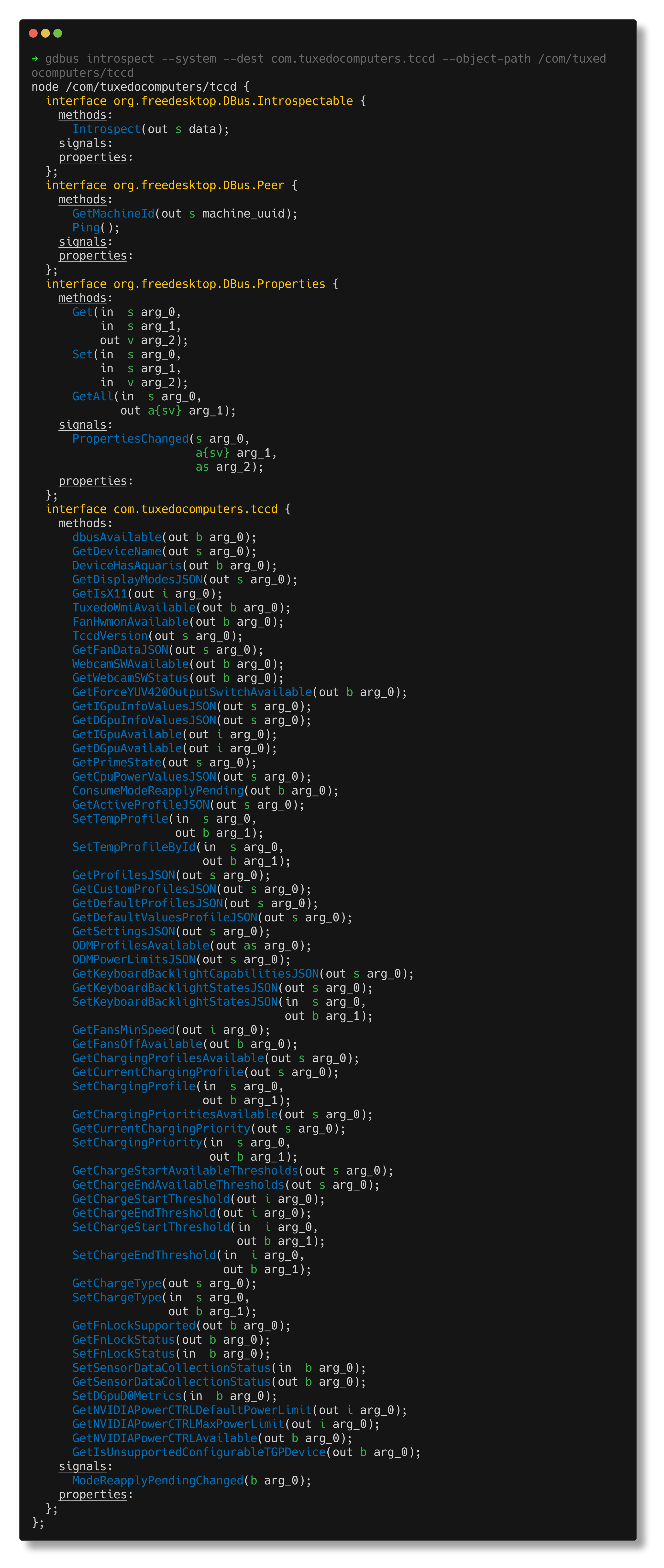
You can introspect the whole interface with gdbus:
gdbus introspect \
  --system \
  --dest com.tuxedocomputers.tccd \
  --object-path /com/tuxedocomputers/tccd
Buried in the output are methods like GetProfilesJSON, GetActiveProfileJSON, and SetTempProfileById. In other words, everything the GUI does, sitting right there on the bus waiting to be called.
The wrapper
Every D-Bus call follows the same pattern, so a small helper keeps things tidy and strips the shell-escaping noise that gdbus wraps around its output:
BUS_ARGS="--system --dest com.tuxedocomputers.tccd --object-path /com/tuxedocomputers/tccd --method com.tuxedocomputers.tccd"

call_tcc() {
    gdbus call $BUS_ARGS."$1" | sed "s/^('//;s/',)$//"
}
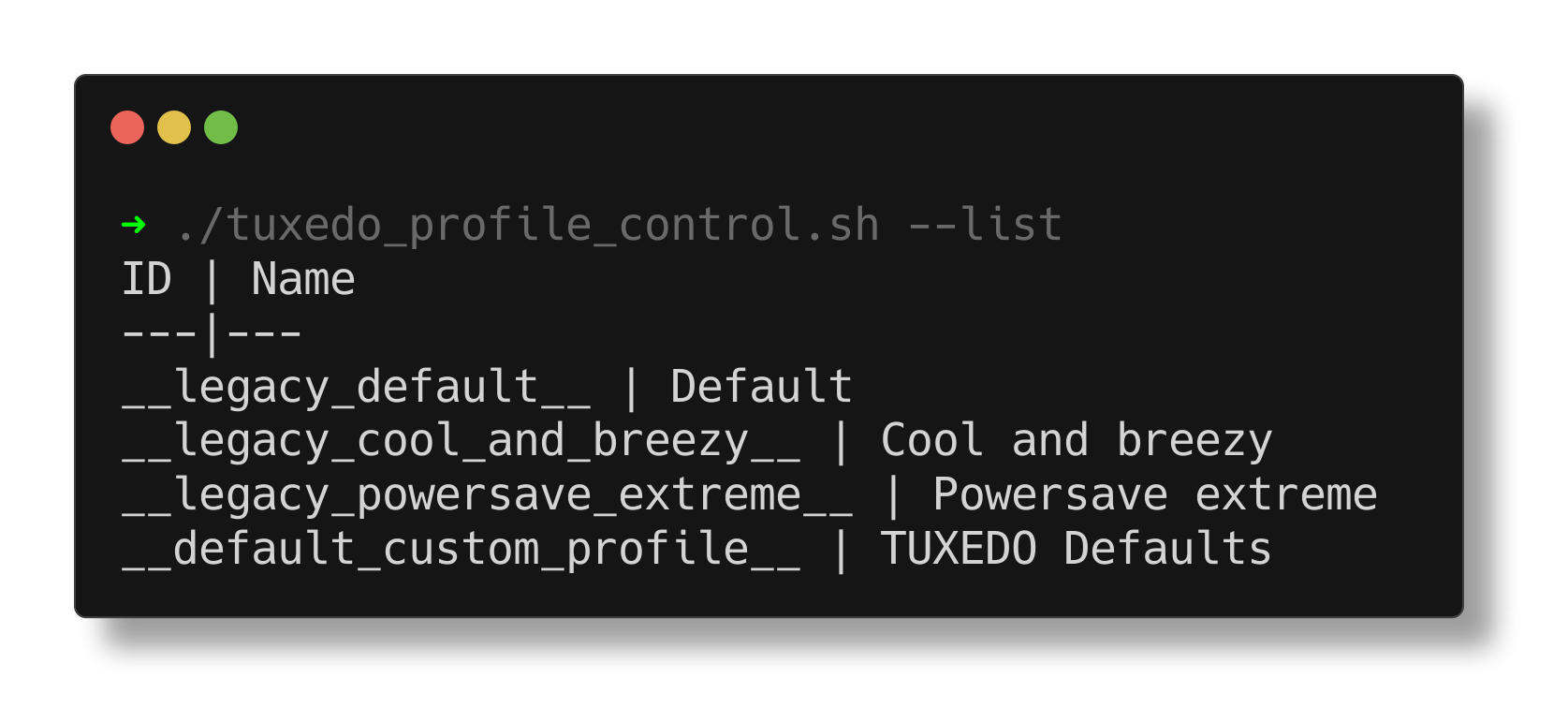
With that in place, listing profiles is just a jq query over the JSON that GetProfilesJSON returns:
list_profiles() {
    local json=$(call_tcc "GetProfilesJSON")
    echo "ID | Name"
    echo "---|---"
    echo "$json" | jq -r '.[] | "\(.id) | \(.name)"'
}
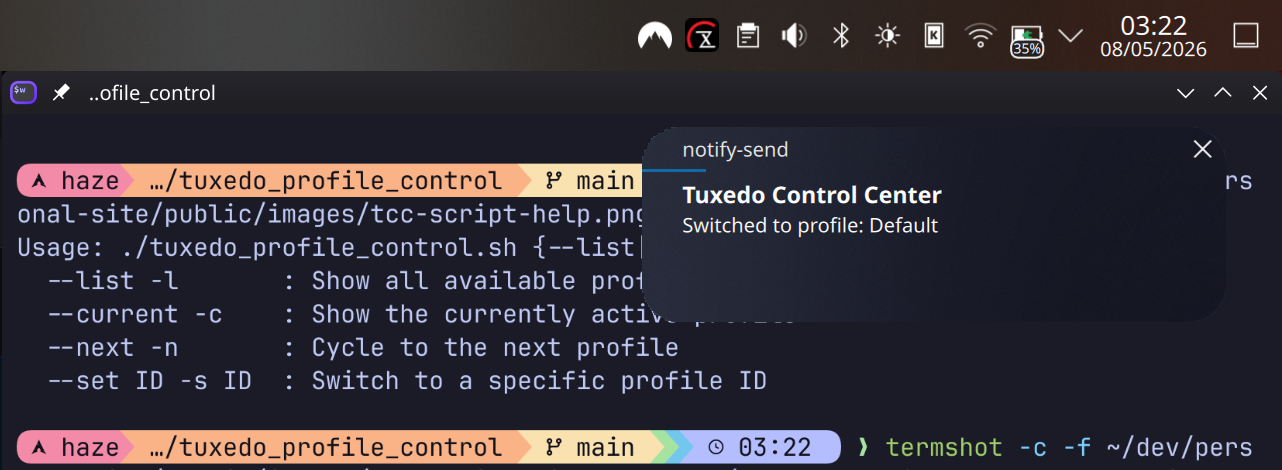
Switching goes through SetTempProfileById. I also made the function check that the switch actually took, and fire a desktop notification so I get visual feedback:
set_profile() {
    local target_id="$1"
    local all_json=$(call_tcc "GetProfilesJSON")
    local target_name=$(echo "$all_json" | jq -r --arg id "$target_id" '.[] | select(.id == $id) | .name')

    gdbus call $BUS_ARGS.SetTempProfileById "$target_id" > /dev/null

    local active_name=$(call_tcc "GetActiveProfileJSON" | jq -r '.name')
    if [[ "$active_name" != "$target_name" ]]; then
        echo "Failed to switch profiles. Current profile is still: $active_name"
        exit 1
    fi

    if command -v notify-send &> /dev/null; then
        notify-send "Tuxedo Control Center" "Switched to profile: $target_name"
    fi
}
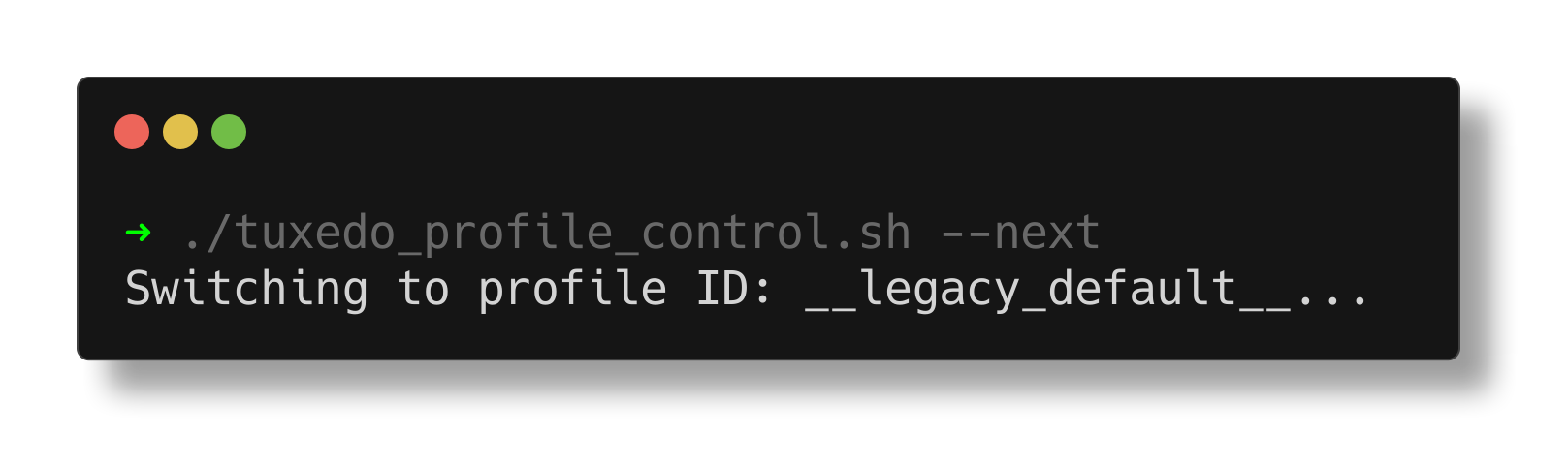
The piece I actually use every day is --next, which I bind to a key. It reads the current active profile ID, finds where it sits in the list, and wraps around to the next one:
next_profile() {
    local current_id=$(call_tcc "GetActiveProfileJSON" | jq -r '.id')
    local all_json=$(call_tcc "GetProfilesJSON")

    mapfile -t ids < <(echo "$all_json" | jq -r '.[].id')

    for i in "${!ids[@]}"; do
        if [[ "${ids[$i]}" == "$current_id" ]]; then
            next_idx=$(( (i + 1) % ${#ids[@]} ))
            set_profile "${ids[$next_idx]}"
            return
        fi
    done
}
Note that the cycling logic works on profile IDs, not names. Names can contain spaces, IDs can't, and mapfile reads them into an array without any word-splitting headaches.
Binding to a key
In KDE it's System Settings → Shortcuts → Custom Shortcuts, create a new command shortcut, and point it at the script:
~/.local/bin/tuxedo_profile_control.sh --next
One keypress, a notification pops up for two seconds, done. No window, no mouse. The same trick works anywhere you can bind a shell command to a key: Hyprland, Sway, i3, GNOME, take your pick.
Beyond --next, the script also supports --list to see all profiles, --current to show the active one, and --set <ID> to jump straight to a specific profile.
What I learned
I knew D-Bus existed, but this was the first project where I actually used it directly, and a few things surprised me:
- Once you know how to introspect the service tree,
gdbusis refreshingly straightforward to work with - D-Bus type signatures look arcane (you'll run into things like
(a{sv})in method signatures), but in practice you only ever need to understand the handful of calls you care about - The system bus versus session bus distinction matters.
tccdruns as root and lives on the system bus, not the per-user session bus, and nothing works until you pass--system
Sometimes the right answer is a shell script.
Source on GitHub.
// related project
TCC Bridge// comments