23 April 2026
Glow Bird Protocol: Syncing Audio to LED Strips on Linux
How I built a real-time audio visualizer that drives WLED LED strips using PipeWire and FFT in Python.
There's an LED strip running along the back of my desk, powered by WLED. For the longest time it just sat there cycling through static color effects while I worked, which always felt like a waste. Audio visualizers have been around since Winamp, so surely getting a strip to react to music on Linux in 2025 couldn't be that hard?
Turns out it isn't, but a few pieces aren't obvious until you hit them. The end result is Glow Bird Protocol, a Python daemon that grabs audio from PipeWire and streams real-time FFT data to WLED over UDP.
The audio capture problem on Linux
First hurdle: actually getting at the audio. Capturing whatever is currently playing on a Linux desktop sounds like it should be a one-liner, and it sort of is, but only if you know which one-liner. PulseAudio has monitor sources, ALSA has loopback devices, and what works depends heavily on your setup. I didn't want configuration gymnastics. I wanted something that just works on a modern desktop.
PipeWire is the answer here. Most distros ship it as the default audio server now, usually with a PulseAudio compatibility layer, which means good old parec still works. Point it at the @DEFAULT_MONITOR@ device and it hands you whatever is coming out of your speakers:
cmd = [
    "parec",
    "-r",
    "--device=@DEFAULT_MONITOR@",
    f"--rate={SAMPLE_RATE}",
    "--channels=1",
    "--format=s16le",
    f"--latency-msec={max(1, int(CHUNK_MSEC))}",
]
proc = subprocess.Popen(cmd, stdout=subprocess.PIPE, bufsize=CHUNK_BYTES)
After that, the main loop is embarrassingly simple. Read chunks of raw PCM off stdout, forever:
while True:
    raw = proc.stdout.read(CHUNK_BYTES)
    # process and send...
No library wrappers, no device enumeration, no callbacks. Just a subprocess spitting out bytes. I love it when the boring solution wins.
FFT and mapping frequencies to LEDs
So now I had raw PCM frames. To make lights dance you need to know what is playing, not just how loud it is, and that's where the Fast Fourier Transform comes in. It takes the time-domain waveform and turns it into a frequency-domain picture: basically a bar chart of how much energy sits at each frequency.
The audio arrives as signed 16-bit integers (s16le). After running the FFT, I take the first 16 frequency bins and normalize them down to 0–255 so they fit in single bytes for the UDP packet:
def calculate_fft(audio_chunk):
    audio_data = np.frombuffer(audio_chunk, dtype=np.int16)

    raw_level = np.mean(np.abs(audio_data))
    peak_level = int((np.max(np.abs(audio_data)) / 32767) * 255)
    smoothed_level = int((raw_level / 32767) * 255)

    fft_result = np.abs(np.fft.rfft(audio_data))
    fft_normalized = np.interp(fft_result, (0, np.max(fft_result)), (0, 255))
    fft_values = fft_normalized[:16].astype(np.uint8)

    freq_index = np.argmax(fft_result)
    fft_peak_frequency = freq_index * (SAMPLE_RATE / len(audio_data))
    fft_magnitude_sum = np.sum(fft_result)

    return fft_values, raw_level, smoothed_level, peak_level, fft_magnitude_sum, fft_peak_frequency
Each frame ends up carrying those 16 band values plus a handful of summary metrics: raw level, smoothed level, peak, total magnitude, and the dominant frequency.
Sending to WLED over UDP
WLED has a standard DRGB protocol where you send it literal RGB pixel values, but I went a different route. Glow Bird Protocol sends the raw FFT analysis data and lets WLED's sound-reactive firmware decide what to do with it. That way all the pretty effects WLED already ships with get real audio data to chew on. The packet is a fixed 30-byte struct:
def create_udp_packet(fft_values, raw_level, smoothed_level, peak_level, fft_magnitude_sum, fft_peak_frequency):
    return struct.pack('<6s2B2fBB16B2B2f',
        b'00002',              # header (6 bytes)
        0, 0,                  # padding (2 bytes)
        float(raw_level),      # raw audio level (4 bytes float)
        float(smoothed_level), # smoothed level (4 bytes float)
        peak_level,            # peak level (1 byte)
        0,                     # padding (1 byte)
        *fft_values,           # 16 FFT band values (16 bytes)
        0, 0,                  # padding (2 bytes)
        float(fft_magnitude_sum),   # total FFT magnitude (4 bytes float)
        float(fft_peak_frequency))  # dominant frequency (4 bytes float)
UDP means no connection overhead, and that matters. The latency stays low enough that the lights feel responsive even though the ESP32 running WLED is on WiFi.
The latency tuning problem
Honestly, getting the strip to feel in sync rather than slightly behind took more fiddling than the FFT itself. A visualizer that lags by even a tenth of a second feels wrong in a way you can't unsee. What helped:
- Smaller chunk size.
CHUNK_BYTES = 512at 48 kHz works out to about 5.3 ms of audio per frame. Go bigger and the lag becomes visible. --latency-msecon parec. Asking PipeWire for small fragments directly cuts down buffering. Without it,parechappily batches up audio internally and you pay for it.- UDP, not TCP. WLED does have an HTTP interface, but it has way too much overhead for updates this frequent. UDP is built for exactly this.
With all three in place, the strip reacts to drum hits and vocal attacks fast enough that it feels live. That was the moment the project went from "neat" to "okay, this is staying on."
Configuration
Everything lives in conf.txt, no CLI flags to remember:
[WLED]
WLED_IP = 192.168.1.50
WLED_PORT = 4048

[Audio]
SAMPLE_RATE = 48000
CHUNK_BYTES = 512
gain = 1.5
Getting it running is the usual dance:
git clone https://github.com/YentlHendrickx/Glow-Bird-Protocol
cd Glow-Bird-Protocol
pip install -r requirements.txt
python main.py
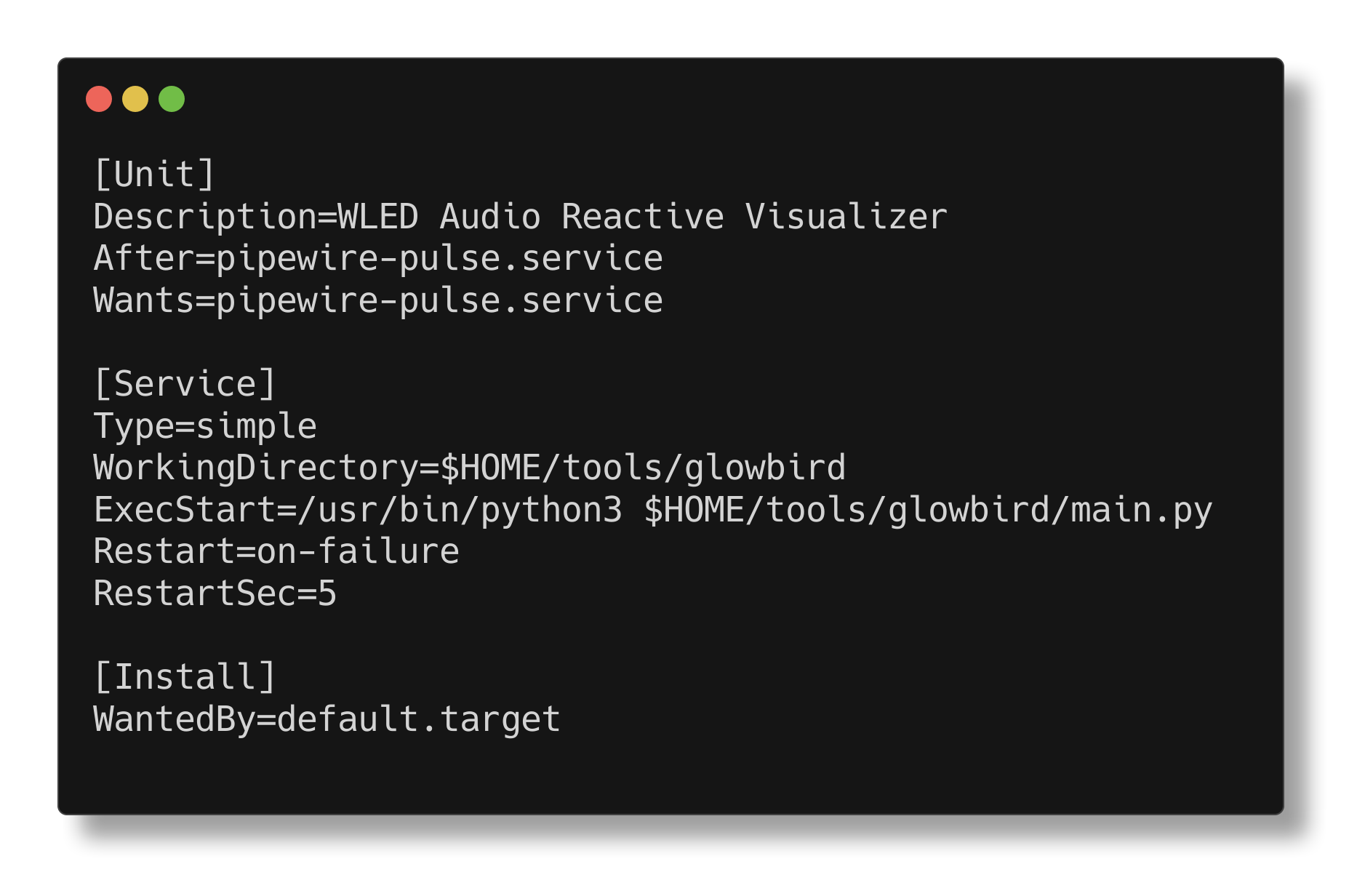
There's a systemd service file in the repo too, so it can quietly start on login and you never have to think about it again.
Source on GitHub.
// related project
Glow Bird Protocol// comments